AWS Network
The AWS Network Analyzer provides detailed insights into your networking infrastructure, including VPCs, Route 53, VPNs, load balancers, and security groups. It helps identify misconfigurations, enforce compliance, and optimize network configurations.
Required Blueprints: AWS
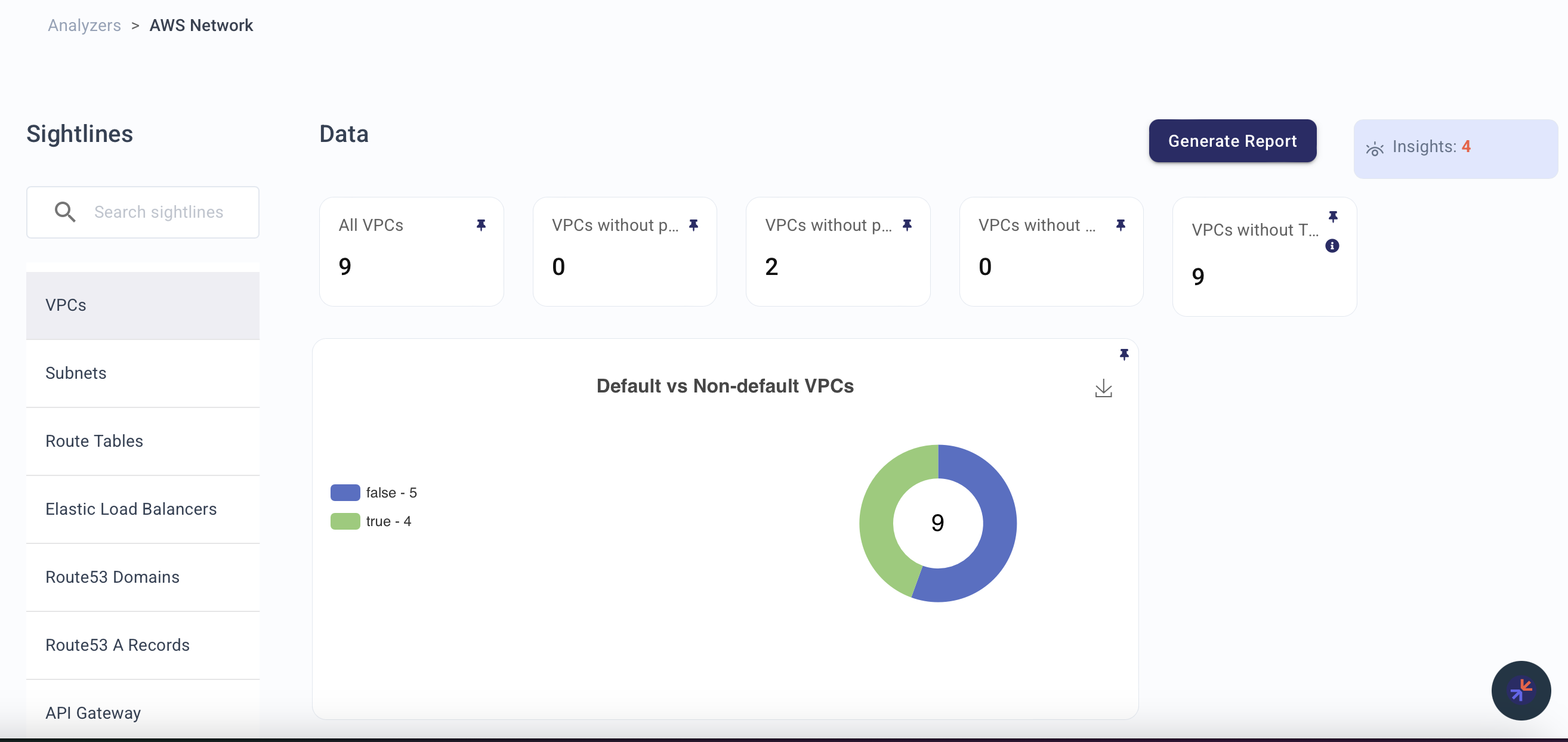
Sightlines
| Sightline | Description |
|---|---|
| VPCs | Surfaces VPC configurations to ensure proper segmentation, access control, and resource allocation. |
| Subnets | Provides visibility into subnet configurations and compliance with best practices, including risky NACLs and missing ... |
| Route Tables | Offers insights into routing configurations, helping ensure proper connectivity and identify orphaned or untagged res... |
| Elastic Load Balancers | Monitors load balancer configurations and associated events to ensure reliability and security in handling network tr... |
| Route53 Domains | Gives visibility into DNS configurations for accurate and secure domain management. |
| Route53 A Records | Focuses on DNS A record configurations to ensure alignment with security and observability best practices. |
| API Gateway | Tracks REST and HTTP APIs, monitoring tagging, access patterns, and related events. |
| Cloudfront | Provides insights into content delivery configurations and events. |
| ACL | Monitors Access Control Lists to ensure rules align with organizational policies and secure network traffic. |
| NAT Gateways | Monitors gateway configurations and traffic flow, helping optimize costs and track resource usage. |
| Security Groups | Provides critical insights into security group configurations, ensuring proper access controls and minimizing risks. |
Explorer Node Types
Use these node types in Explorer or KAI to query resources surfaced by this analyzer:
aws.ec2.Vpc, aws.ec2.Subnet, aws.ec2.SecurityGroup, aws.ec2.RouteTable, aws.ec2.NetworkACL, aws.ec2.NatGateway, aws.elb.LoadBalancer, aws.route53domains.Domain, aws.route53.ResourceRecordSet, aws.apigateway.RestAPI, aws.apigateway.HTTPAPI, aws.cloudfront.Distribution
Related Analyzers
- AWS IAM — VPC/subnet access controlled by IAM policies
- AWS Compute — EC2 instances placed in VPCs with security groups
- AWS Storage — S3 endpoints and bucket access patterns
- AWS RDS — Database instances in VPC/subnets with security groups
Insight Feed Alerts
VPCs that do not have a private subnet
Highlights VPCs without private subnets, which could expose resources to the public network.
VPCs that do not have a public subnet
Identifies VPCs without public subnets, potentially affecting external integrations and connectivity.
Security Groups that do not have an associated EC2 instance
Detects orphaned security groups, reducing the attack surface and minimizing configuration sprawl.
Security Groups that allow public access on non-standard ports (22, 80, 443)
Flags overly permissive security groups that allow unauthorized access on non-standard ports.
Non-default VPCs without any associated resources
Identifies unused VPCs, enabling resource allocation optimization and cost reduction.
Security Groups without any associated resources
Detects unused security groups to reduce potential vulnerabilities and improve network hygiene.