Insights
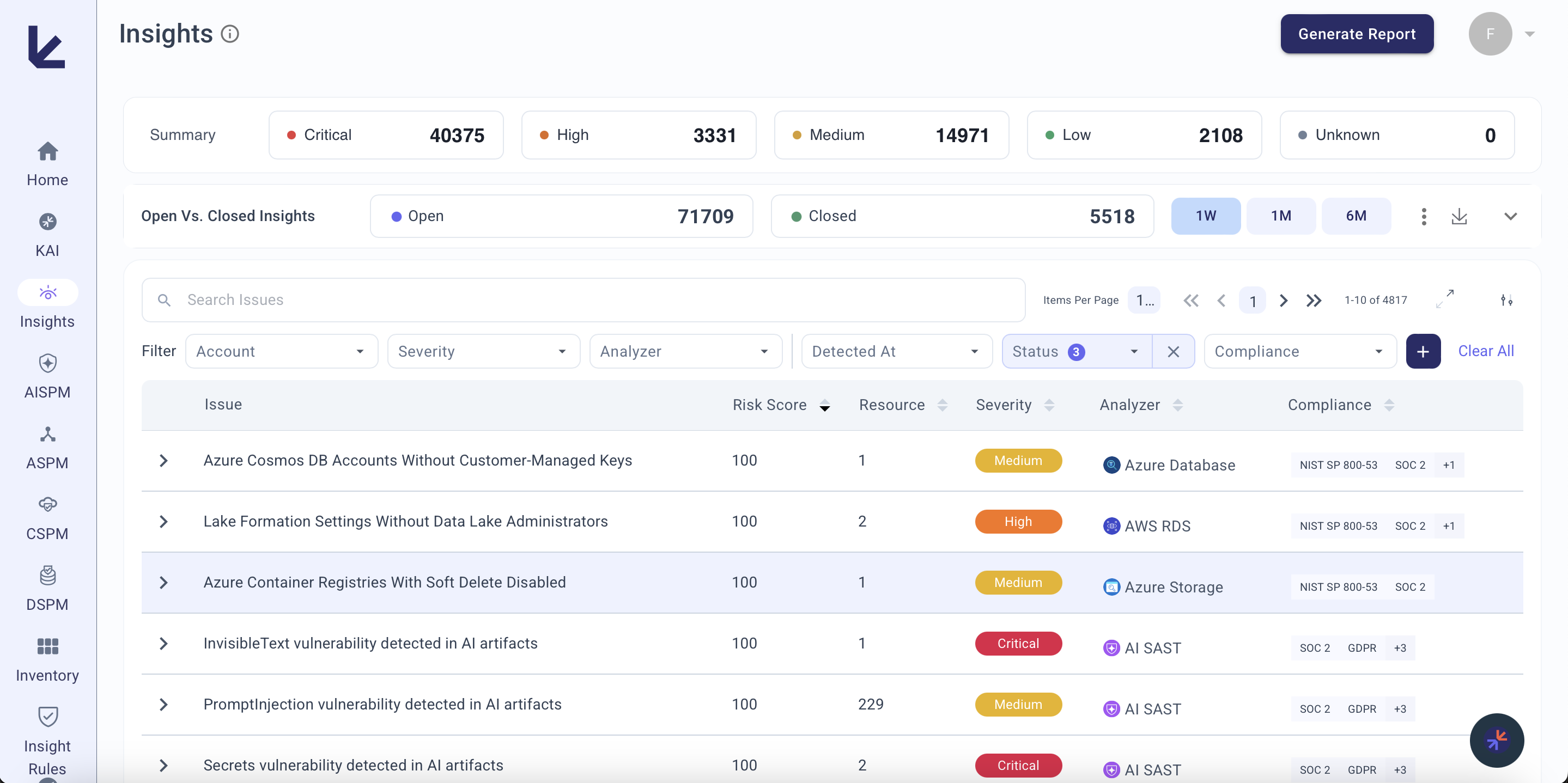
The Insights page is a unified view of all security alerts across CSPM, DSPM, ASPM, and AISPM. Each insight highlights a specific security concern with contextual information including compliance impact, affected resources, and remediation steps.
Layout
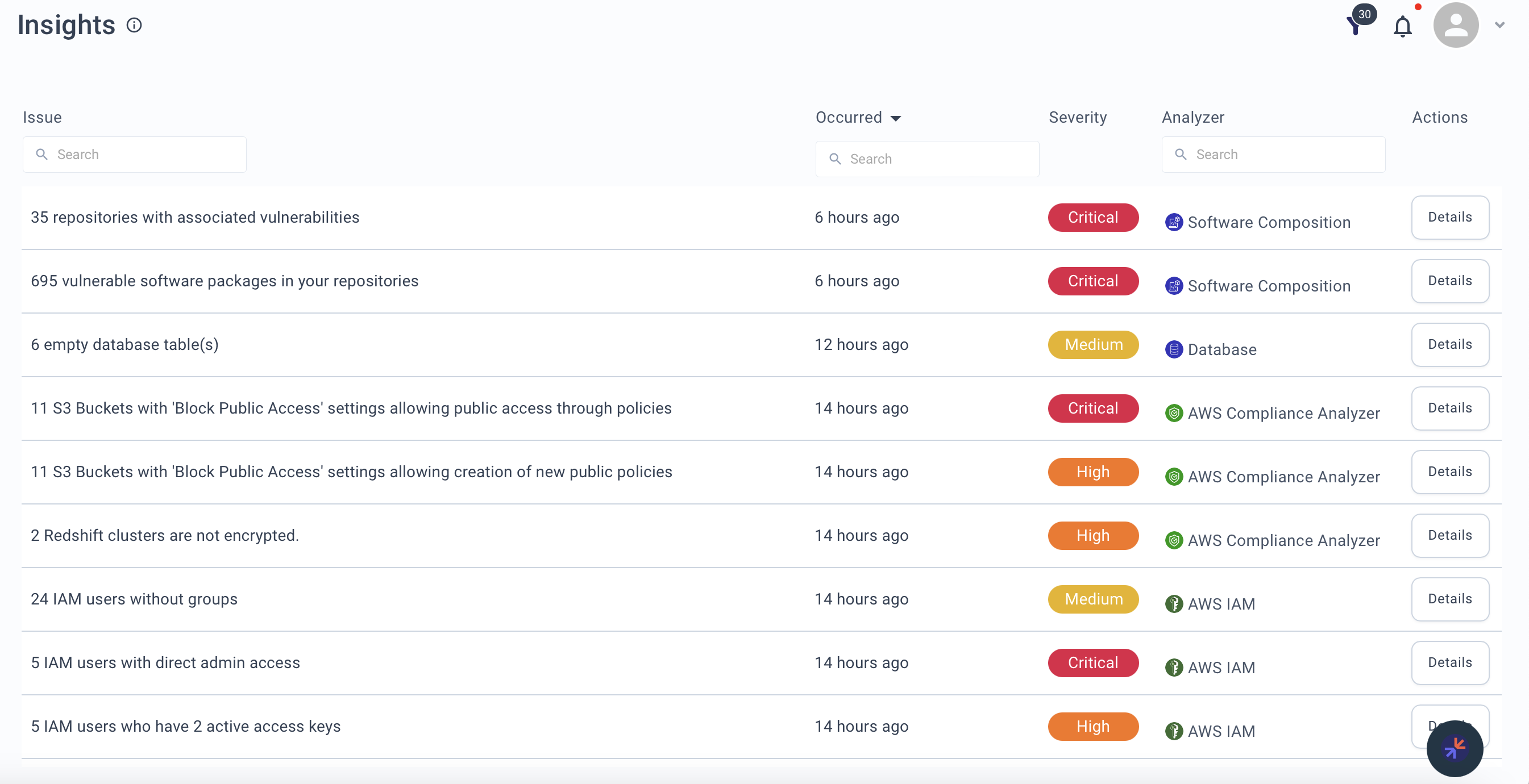
The Insights table shows:
| Column | Description |
|---|---|
| Issue | Brief description of the finding |
| Occurred | When the issue was detected |
| Severity | Low, Medium, High, or Critical |
| Analyzer | Which analyzer detected the issue |
| Risk Score | Per-resource risk score incorporating both technical severity and business context |
| Action | Link to view details or take action |
Business-Aware Risk Scoring
Insights are prioritized not just by technical severity but by business context embedded in the risk score. Each security domain uses risk factors that incorporate business context from your Asset Registry and context graph:
This means a Medium-severity finding on a highly sensitive data store can score higher than a High-severity finding on a low-sensitivity resource.
To get the most from business-aware risk scoring:
- Model your applications in the Asset Registry
- Assign CIA ratings reflecting each application's criticality
- Set business impact scores for key services — these feed into the Data Sensitivity risk factor used by DSPM and CSPM
Insight Details
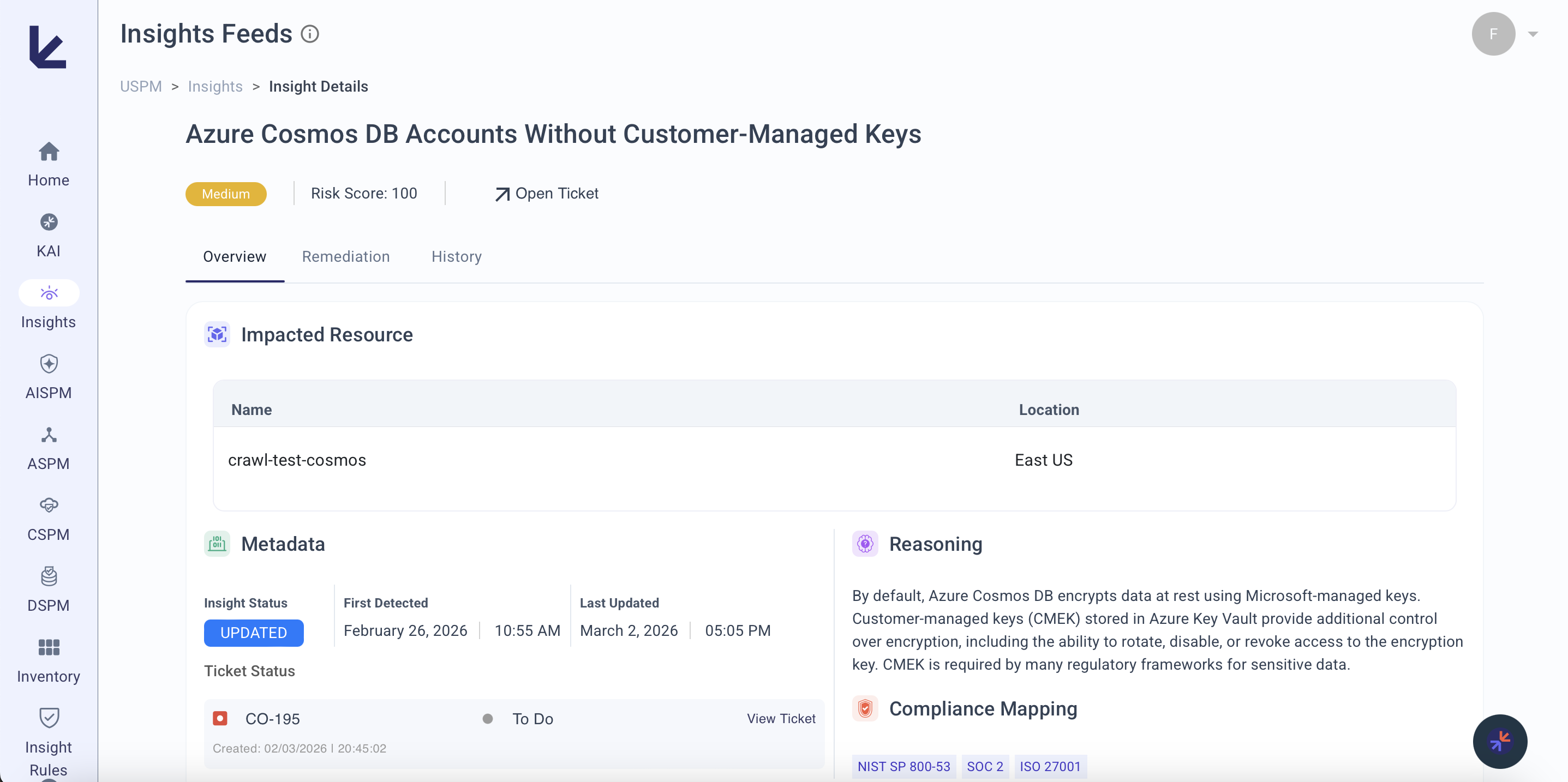
Click any insight to see:
- Resolution suggestions -- Recommendations based on severity and context
- Deeper analysis -- Detailed information including logs and related data
- Compliance mappings -- How the issue ties to SOC 2, ISO 27001, NIST SP 800-53, GDPR, FedRAMP
Managing Insight Rules
Individual insight rules can be enabled or disabled to control which findings appear in your feed. Disabling a rule stops new alerts from being created while preserving existing ones.
For details on how insight rules work and how to manage them, see Insight Rules.
Filtering and Sorting
Account Filter -- Narrow insights to a specific account or set of accounts.
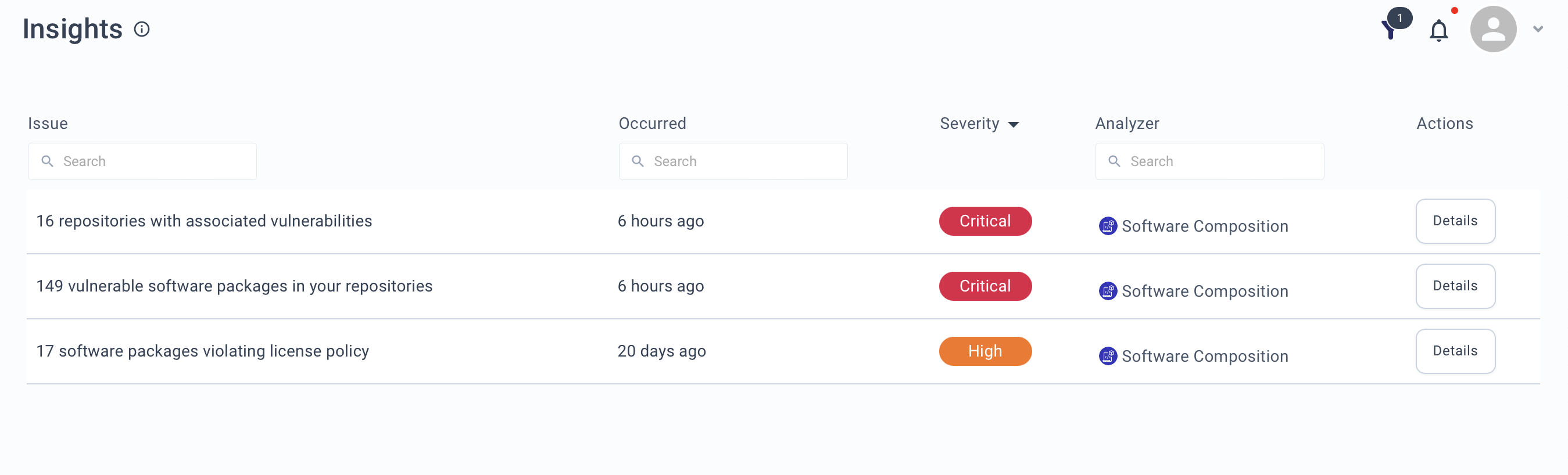
Severity sort -- Prioritize by severity level (Critical > High > Medium).
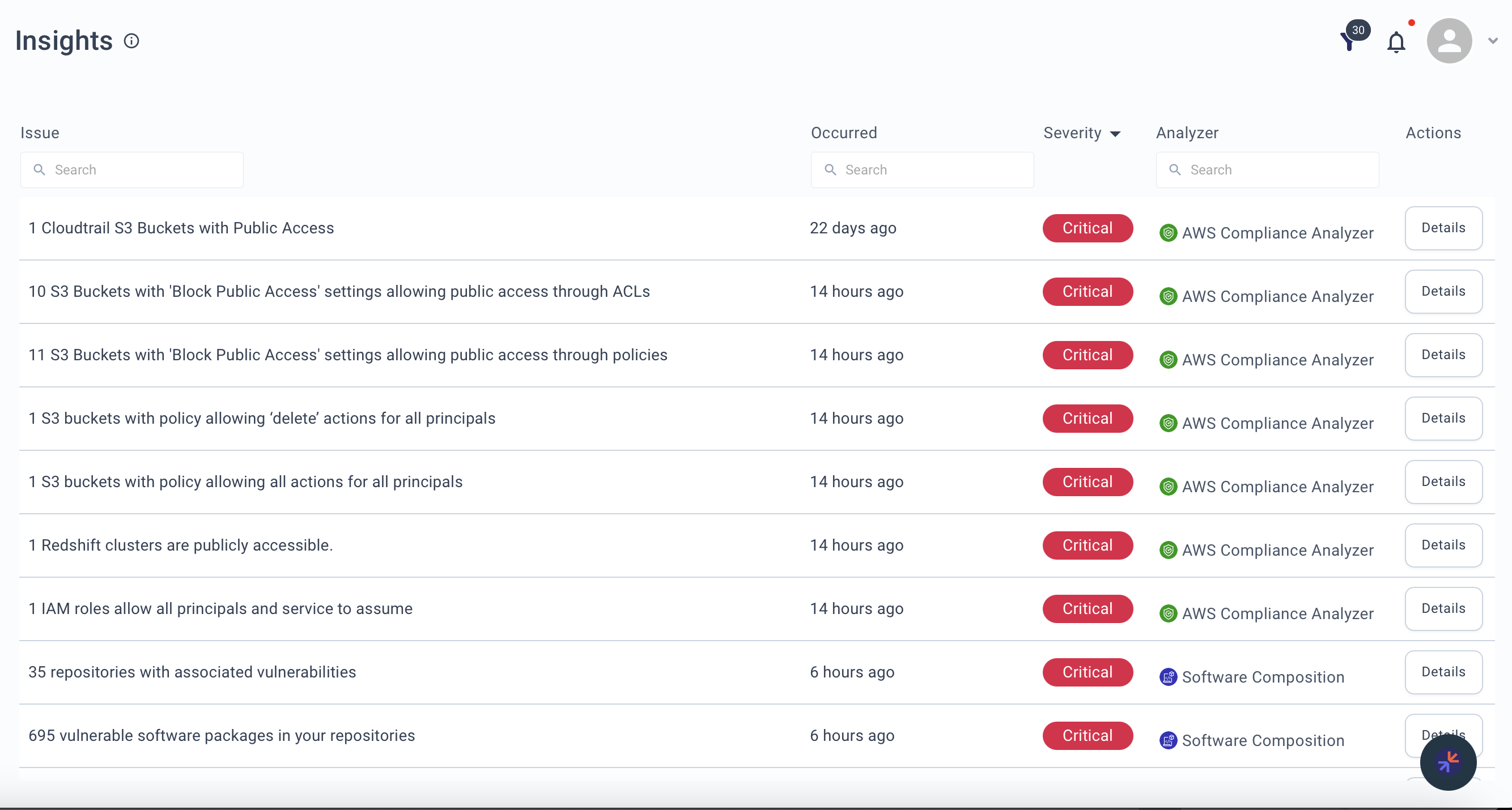
Occurrence sort -- Focus on recent issues or track patterns over time.
Remediation
From any insight detail view, you can create a ticket in your connected ticketing system:
- Click Create Ticket on the insight
- Select the target system (Jira or ServiceNow)
- Review the pre-populated fields (summary, description, severity mapping)
- Adjust priority, assignee, or other fields as needed
- Click Submit to create the ticket
The ticket includes a link back to the insight for full context.
Configure your ticketing integration under Agent Hub > Settings > Ticketing before using this feature.
Quick Start
- Use Severity sort to surface Critical issues first
- Apply Account Filter to focus on a specific environment
- Click Details on any insight for remediation guidance
- Use Occurrence sort to track whether issues are recurring