Team
The Team page is where you manage users and assign user roles in your Kscope workspace.
Layout
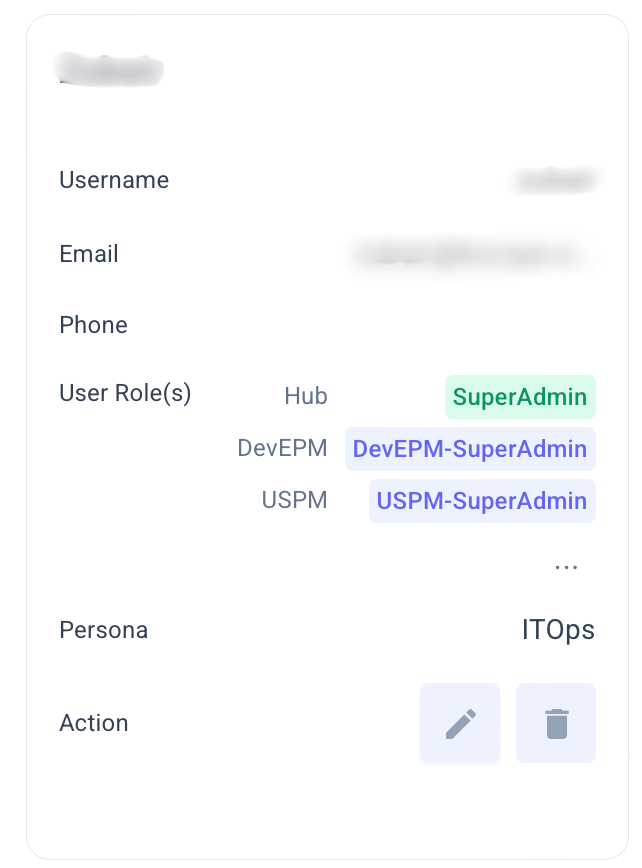
Users are displayed as cards (Grid View) or rows (List View). Each entry shows:
- Username and email
- User Role(s) shown as pills (e.g., KDefend-User, Admin, AssetRegistry)
- Edit and Delete actions
Toggle between Grid and List view using the button at the top right.
Managing Users
Add a User
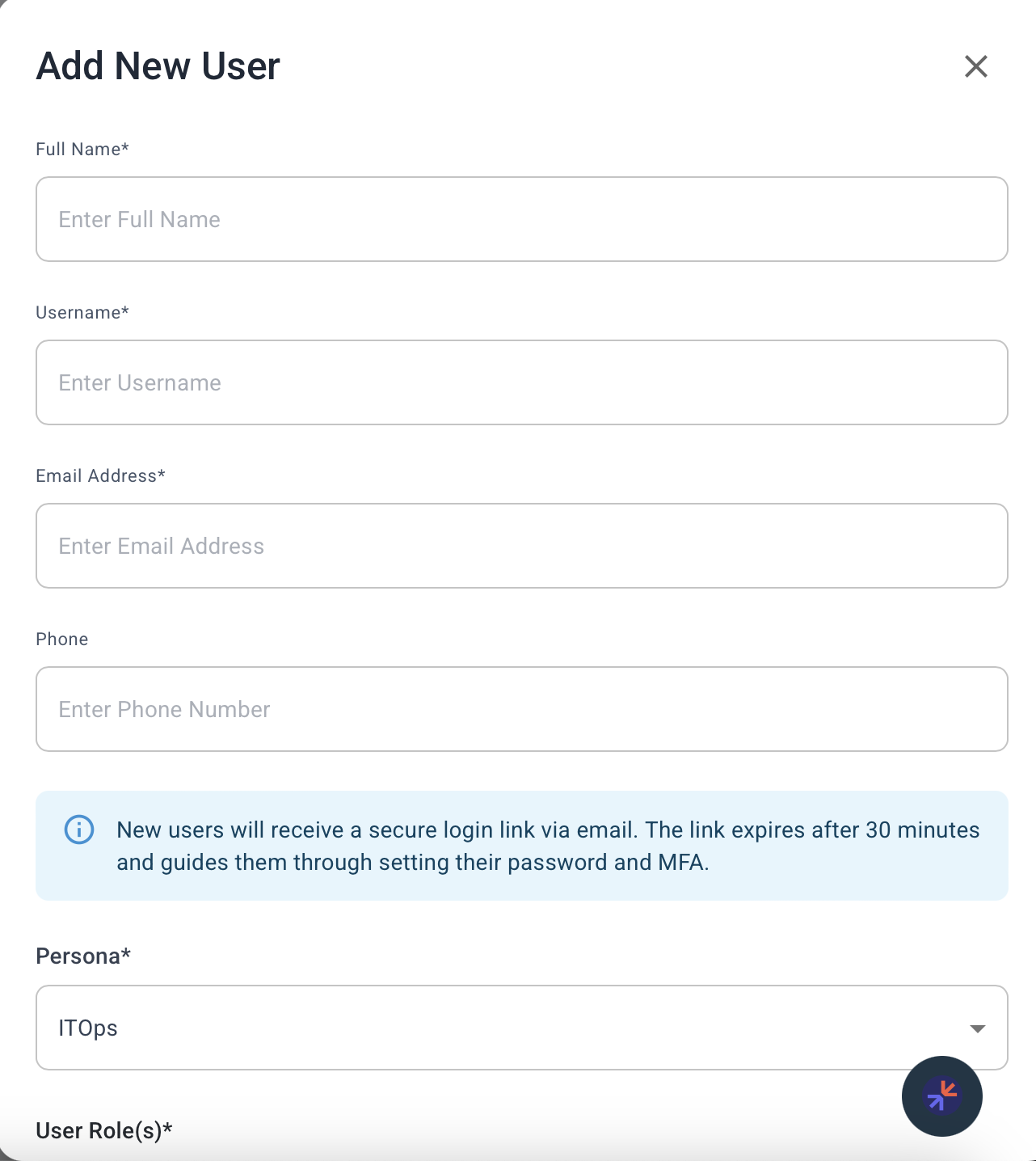
- Click Add User
- Fill in: Username, email, and phone
- Assign one or more User Role(s) -- users can hold multiple roles simultaneously
- Save
Edit a User
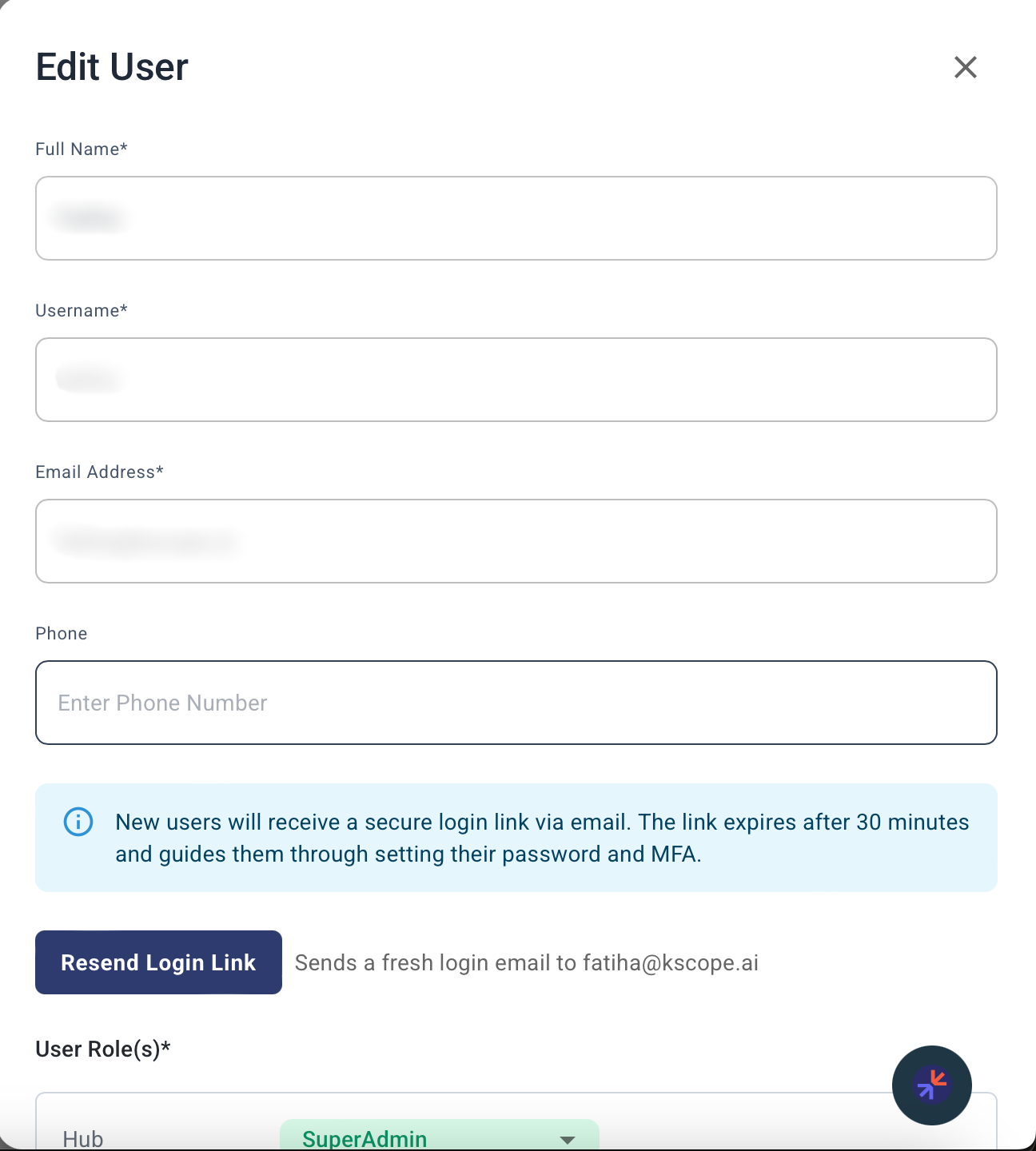
- Click Edit on a user's card
- Update fields (info, roles, or reset password)
- Save
Delete a User
- Click Delete on a user's card
- Confirm deletion
Ensure no critical tasks or dependencies are assigned to the user before removal.
User Profile Menu
Clicking your avatar in the top-right corner opens the profile menu showing:
| Field | Description |
|---|---|
| Username | Your login username |
| User Role(s) | Role pills showing all roles assigned to you (same display as the Team page) |
User Roles and Permissions
Kscope uses role-based access control. Users can be assigned one or more roles, and permissions are cumulative -- a user with both KDefend-User and Admin roles gets the combined permissions of both.
Platform Roles
These roles control access to core Kscope platform features:
| Role | What you can do |
|---|---|
| User | View the blueprint and analyzer catalogs, view account info |
| Admin | Everything in User, plus: configure blueprints, manage projects, view audit logs |
| SuperAdmin | Everything in Admin, plus: add/edit/remove users, configure account settings, configure analyzers |
Application Roles
These roles control access to specific Kscope applications. Assign them based on which applications each user needs:
| Role | Application | What you can do |
|---|---|---|
| KDefend-User | KDefend | View analyzers, insights, inventory, explorer, events, and search. Acknowledge alerts. |
| KDefend-Admin | KDefend | Everything in KDefend-User (additional admin capabilities) |
| KDefend-SuperAdmin | KDefend | Everything in KDefend-Admin (full KDefend control) |
| DevEPM-User | DevEPM | View engineering operations analyzers, insights, inventory, explorer, events, and search. Acknowledge alerts. |
| DevEPM-Admin | DevEPM | Everything in DevEPM-User (additional admin capabilities) |
| DevEPM-SuperAdmin | DevEPM | Everything in DevEPM-Admin (full DevEPM control) |
| AssetRegistry | Asset Registry | Access the Asset Registry application |
Common Role Combinations
| User type | Recommended roles |
|---|---|
| Security analyst | KDefend-User + AssetRegistry |
| Security lead | KDefend-Admin + AssetRegistry + Admin |
| Engineering manager | DevEPM-User + KDefend-User |
| Platform administrator | SuperAdmin + KDefend-SuperAdmin + DevEPM-SuperAdmin + AssetRegistry |
| Read-only viewer | User + KDefend-User |
Tips
- Assign the minimum roles needed for each user's responsibilities
- Use application-specific roles (KDefend-User, DevEPM-User) rather than platform-wide roles where possible
- Regularly review the Team page to keep access current
- Check for dependencies before deleting users